
How Much Does a Home Projector Setup Cost?
Updated on | Written by Alec Pow
This article was researched using 10 sources. See our methodology and corrections policy.
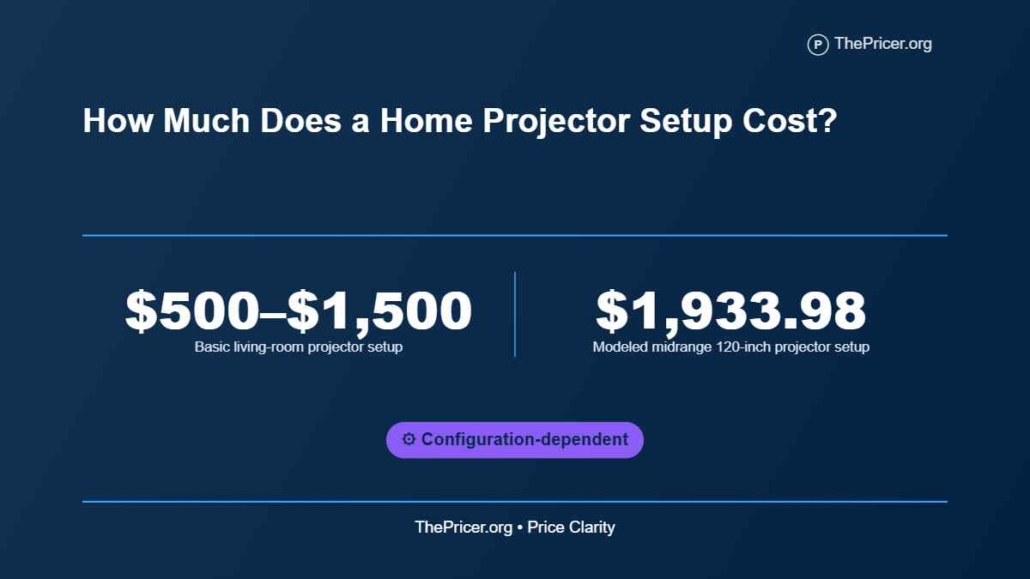
A home projector setup costs approximately $500 to $1,500 for a basic living-room system, $1,500 to $4,000 for a more capable home cinema, and $4,000 to $10,000 or more for a premium projector, screen, and audio setup. These are estimated U.S. equipment and installation budgets, not published national averages. Custom-built theater rooms can cost considerably more.
The projector itself is only part of the purchase. A complete setup may need a projection screen, soundbar or surround-sound system, streaming device, ceiling mount, HDMI cables, power access, and installation labor. The room’s dimensions and natural light also determine which equipment will work properly.
A household that already owns compatible speakers and can project onto a suitable wall may spend much less than someone building a permanent theater with concealed wiring and automated equipment.
Article Highlights
Jump to sections
- Budget approximately $500 to $1,500 for a basic DIY living-room projector setup.
- A dedicated 4K-oriented home cinema commonly calls for a larger planning budget of $1,500 to $4,000.
- Premium projection systems with upgraded sound and screens can exceed $10,000 before room construction.
- Projection-screen material, room lighting, and projector placement can matter as much as resolution.
- Sound, mounting, wiring, and professional labor are major expenses missing from projector-only comparisons.
- A projector that accepts a 4K signal does not necessarily display a native 4K image.
How Much Does a Home Projector Setup Cost?
A home projector setup combines a light source, imaging system, projection surface, content source, and audio equipment. A portable projector can combine several of these functions in one unit. A permanent theater separates them to improve image placement, sound, and performance.
The following figures are estimated planning allowances for U.S. households. Individual retailer offers vary, and the upper ends should not be interpreted as formal market-price ceilings.
| Component | Budget setup | Upgraded setup |
|---|---|---|
| Projector | $300–$800 | $1,000–$3,000 |
| Projection screen | $50–$200 | $200–$800 |
| Speakers or soundbar | $0–$150 | $200–$800 |
| Streaming device | $0–$50 | $30–$100 |
| Mount and cables | $0–$100 | $75–$250 |
| Installation | $0 DIY | $200–$700 allowance |
These amounts are scenario components, not six universally required purchases. A portable projector placed on a shelf may need no mount. A smart projector can eliminate a separate streaming device. Existing speakers may be reusable if their connections are compatible.
For a real product benchmark, Best Buy has listed the Epson Home Cinema 980 1080p projector around $750 to $800, while the Epson Home Cinema 3800 has appeared around $1,600 to $1,800 in its home projector retail listings. These illustrate the equipment price gap before adding a screen or audio system. Promotional prices and availability can change.
1080p Versus 4K Projectors
Projector resolution affects image detail, but paying more for resolution alone does not guarantee a better result in a bright room.
A 1080p projector can be an economical choice for movie nights, sports, and occasional gaming. At larger screen sizes or closer seating distances, a 4K-capable model may reveal finer details, provided the source content and projector actually support the higher resolution.
The BenQ HT2060 specifications identify a native 1920-by-1080 image, LED illumination, 2,300 ANSI lumens, and a 1.15-to-1.50 throw ratio. The projector accepts some 4K input signals but displays a 1080p image. That distinction matters when sellers describe a projector as 4K compatible.
The BenQ TK710 laser projector is positioned for 4K UHD gaming and home entertainment, with a published 3,200 ANSI-lumen rating and a 20,000-hour laser light-source specification.
Shoppers should also distinguish native 4K imaging from pixel-shifting technologies used to display a 4K UHD image. The appropriate comparison is the delivered image, brightness, contrast, input lag, and installation flexibility, not a single resolution label.
A brighter projector may justify its extra expense in a multipurpose living room. For a dark dedicated theater, contrast performance and accurate colors may matter more than chasing the highest advertised brightness.
How Much Does a Screen Cost?
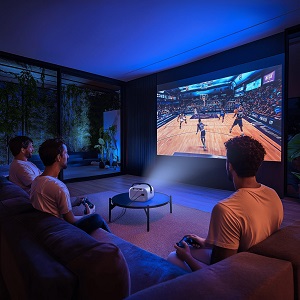 A plain, smooth wall can serve as the projection surface for a temporary setup. A properly chosen screen usually offers better control over surface uniformity, image shape, and reflected light.
Screen prices vary according to size, frame construction, mounting method, and optical material. Portable pull-up screens, manual retractable screens, fixed-frame white screens, and ambient-light-rejecting materials solve different problems.
Silver Ticket’s fixed-frame projection screen listings show a 100-inch silver-material model at $389.98, a 120-inch version at $449.98, and a 150-inch version at $619.98. Those prices describe specific screen materials rather than the cheapest white screens available.
Elite Screens offers conventional matte-white, contrast-enhancing, acoustically transparent, and specialized ambient-light-rejecting products within its fixed-frame screen catalog. Its European listings demonstrate the price and material differences, although euro-denominated offers should not be treated as current U.S. checkout prices.
Do not buy an ambient-light-rejecting screen solely because the description promises better contrast. Standard-throw and ultra-short-throw projectors can require different screen structures, and some materials perform poorly when paired with the wrong projection angle.
Projector Placement
The room determines whether a desired screen size is achievable. A projector with excellent specifications may be the wrong purchase if its lens cannot produce the required image from the available mounting position.
Throw ratio describes the required projection distance relative to image width. A projector with a 1.2 throw ratio needs approximately 1.2 feet of lens-to-screen distance for every foot of image width.
A 120-inch diagonal 16:9 image is approximately 104.6 inches wide. At a 1.2 throw ratio, the lens must sit about 125.5 inches, or 10.5 feet, from the screen.
At a throw ratio of 1.5, the same image needs approximately 13.1 feet. The roughly 2.6-foot difference can decide whether a projector fits on a rear shelf or requires ceiling mounting.
ProjectorCentral’s 2026 buying guidance also emphasizes room lighting, screen size, and screen gain when assessing usable brightness. Enlarging an image spreads the available light across a greater surface, making a projector appear dimmer at the screen.
Measure the intended lens position before buying equipment. The projector’s published throw range, lens shift, and installation offset must all fit the room. Digital keystone correction can help square the image but should not be treated as a substitute for proper positioning.
Audio and Streaming Expenses
Built-in projector speakers can make an inexpensive setup immediately usable, but they rarely provide the same sound placement or low-frequency performance as a dedicated home-theater system.
For a compact external option, Sonos lists the Ray soundbar at $219. Its optical audio connection requires compatibility planning, particularly when a projector relies on HDMI audio output and does not offer a matching optical connection.
More expensive soundbars, AV receivers, subwoofers, and surround speakers can raise the total significantly. Sonos also lists higher-tier soundbars at several hundred dollars more than the Ray. A conventional receiver-based system may require speaker wire, multiple speakers, a powered subwoofer, and additional installation work.
Streaming is another possible purchase. The Roku Streaming Stick product page has advertised an HD model at a promotional $19.99, compared with a $39.99 regular price, and lists 4K-capable alternatives. Check the current offer before budgeting.
Existing game consoles, streaming players, and laptops can reduce setup spending. Confirm HDMI compatibility, audio routing, content-protection support, and available power before assuming older equipment will work with a new projector.
Mounting and Installation Costs
A projector placed on a stable shelf may need only basic cable routing. Ceiling mounting introduces structural, electrical, and positioning requirements that can make professional labor worthwhile.
Our estimated installation allowance of $200 to $700 is intended for relatively straightforward mounting, alignment, and limited cable work. It is not a verified national contractor rate. Dedicated electrical work, difficult ceilings, concealed wiring, and substantial wall repairs require separate estimates.
Custom theater construction is a different market. Angi’s 2026 home theater installation analysis places extensive professional theater projects around $10,000 to $60,000, with a reported average near $25,000. These figures include much broader project scopes than mounting a consumer projector.
The distinction is substantial. A contractor building a theater room may be responsible for room design, several equipment systems, electrical work, acoustics, finish carpentry, lighting, and seating. An installer mounting an existing projector and screen is performing a much narrower service.
Ask for an itemized quote showing equipment installation, wiring, electrical work, ceiling repairs, and calibration separately. Also confirm whether the quoted service includes mounting brackets and accessories.
Midrange Budget
Consider a household installing a 120-inch projection setup in a darkened living room. The homeowner wants a capable projector, a fixed screen, improved sound, streaming access, and professional assistance with mounting.
The following is an illustrative purchasing budget using a mix of published product benchmarks and labeled allowances, not an actual customer invoice.
- 1080p projector allowance: $800
- 120-inch Silver Ticket screen benchmark: $449.98
- Sonos Ray soundbar benchmark: $219
- Streaming device allowance: $40
- Projector mount allowance: $75
- Cables and cable management allowance: $50
- Professional mounting labor allowance: $300
The itemized total is $1,933.98 before sales tax, delivery charges, electrical modifications, and unexpected installation problems.
This model exposes how misleading a projector-only budget can be. The $800 projector accounts for about 41% of the modeled final purchase. The other equipment and installation account for approximately 59%.
Buyers using only the projector price as their initial estimate would underbudget by $1,133.98 in this scenario.
The model also excludes a separate subwoofer and surround speakers. A household upgrading later should avoid assuming those components are already represented by the soundbar price.
The Hidden Price of a Larger Screen
Increasing screen size creates costs that are less obvious than the screen’s retail price.
Moving from a 100-inch diagonal 16:9 screen to a 120-inch diagonal screen increases image width and height by 20% each. The projected area therefore grows by 44%, because 1.2 multiplied by 1.2 equals 1.44.
The extra area changes brightness requirements. Under otherwise comparable conditions, maintaining the same brightness per unit of screen area would require approximately 44% more useful projected light. This simplified relationship does not account for screen gain, image processing, or changes in the projector’s operating mode.
The financial consequence is important. A larger screen can require a brighter, more expensive projector or better room-light control. Spending more on the screen alone does not guarantee an improved image.
A second hidden expense is cable routing. A long HDMI connection may require an active optical cable or different distribution equipment when signal bandwidth, distance, and installation conditions exceed what a basic passive cable can reliably deliver.
Motorized screens add power access and potentially control-system requirements. Complex rooms may also need blackout shades or additional home-theater operating expenses beyond the original equipment bill.
Ongoing Costs
Projector ownership expenses depend on the light source, electricity consumption, cleaning requirements, and eventually repair or replacement.
Traditional lamp projectors may need a replacement lamp during their useful life. LED and laser models can avoid routine user-replaceable lamp purchases, although their light sources still age and repairs may not be economical.
BenQ states that the HT2060 LED light source is rated for approximately 20,000 to 30,000 hours depending on operating mode. This is a component-life specification, not a promise that the entire projector will remain failure-free for that period.
Electricity matters as well. A projector consuming an illustrative 300 watts and running for three hours daily uses 328.5 kWh annually. At an assumed electricity price of 18 cents per kWh, that equals approximately $59.13 per year for the projector alone.
That excludes the receiver, speakers, streaming device, standby power, and subscriptions. The separate home theater running-cost analysis models complete systems and their electricity expenses. Buyers should keep equipment acquisition costs separate from electricity when comparing alternatives.
Over five years, an illustrative $2,000 equipment setup plus $100 annually for electricity and maintenance reaches $2,500, excluding repairs, subscriptions, and replacement equipment. That is an average ownership cost of $500 per year.
Projector or Large-Screen TV?
A projector is most attractive when the household wants an unusually large image and can control lighting. A television may be the less complicated purchase for daytime viewing, frequent casual use, and spaces where mounting a projector is difficult.
Projectors can also require more surrounding equipment. If a television includes acceptable speakers and streaming apps, a projector demanding a screen, soundbar, and separate media player starts with additional expenses.
Makes sense if
- You want an image larger than the practical television size for your room.
- You can dim the room and position the projector correctly.
- You have enough space for the required throw distance.
- You are willing to budget for suitable sound and a screen.
Does not make sense if
- You watch primarily during bright daylight and cannot control glare.
- The required projection distance does not fit the room.
- You expect television-like convenience without installing additional equipment.
- The combined screen, audio, and installation budget exceeds what you are comfortable spending.
The strongest purchase decision comes from comparing complete usable systems rather than one projector against one television. Check the screen size you can actually achieve and the equipment needed to make it enjoyable.
Answers to Common Questions
Can I set up a projector at home for under $500?
Yes, a basic portable projector using an existing wall, built-in speakers, and a streaming source you already own may fit a budget below $500. It will not necessarily match a dedicated home-cinema projector in brightness, image quality, or installation flexibility.
Do I need a projector screen?
No. A suitable smooth wall can work for casual viewing, but a purpose-built screen offers more predictable surface performance. Premium screen materials are particularly sensitive to projector type and room conditions.
How much is a 4K projector setup?
A practical estimated budget is $1,500 to $4,000 for many upgraded living-room configurations, with premium systems costing considerably more. Screen, sound, and installation choices determine the final amount.
How much does professional projector installation cost?
A simple installation can be budgeted separately from a full theater build. An illustrative $200 to $700 allowance may cover straightforward work, but electrical modifications, concealed cabling, and custom construction need actual local quotes.
Is a laser projector cheaper to own?
It can avoid routine lamp replacement, but that does not automatically make it cheaper overall. The purchase price, power consumption, repair costs, and actual useful life must also be compared.
Disclosure: Educational content, not financial advice. Prices reflect public information as of the dates cited and can change. Confirm current rates, fees, taxes, and terms with official sources before purchasing. See our methodology and corrections policy.