
How Much Does Apple HomeView Cost?
Published on | Written by Alec Pow
This article was researched using 10 sources. See our methodology and corrections policy.
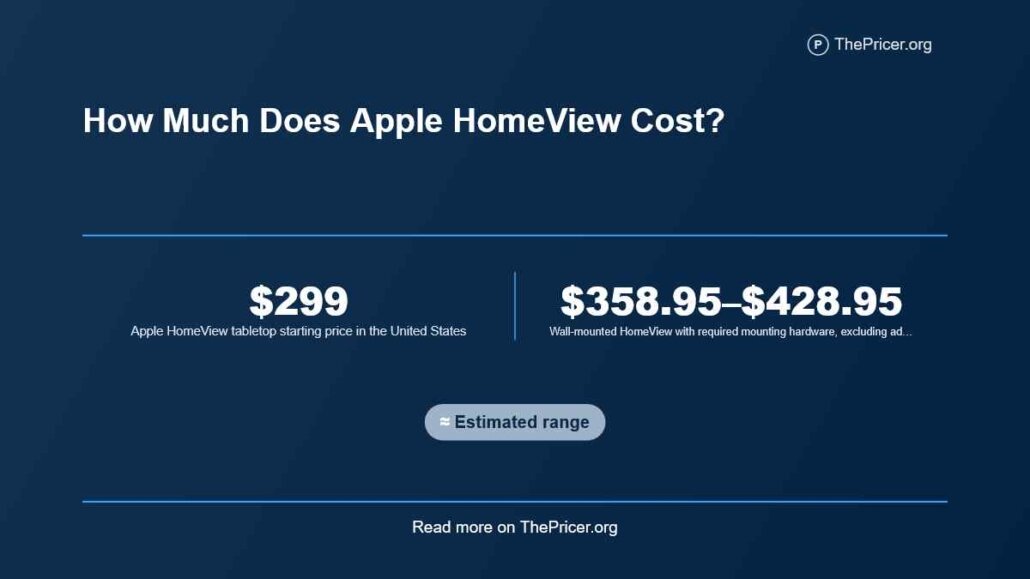
Apple HomeView costs $299 in the United States for the tabletop or wall-mounted model. However, a usable wall-mounted setup starts at $358.95 with the required USB-C mount, rises to $378.95 with an AC Wired mount, or reaches $428.95 with the planned Power over Ethernet mount. Power adapters, installation and sales tax may add further charges.
Announced October 13, 2026, HomeView is a 7-inch Apple smart-home display with Siri AI, FaceTime, personalized household screens and controls for compatible connected devices. Preorders are open, with deliveries beginning November 13.
The complete cost depends on whether you already own compatible Apple equipment and smart-home accessories. A display-only buyer may spend $299, while a new system with cameras, a doorbell, thermostat, lock and cloud recording can exceed $1,300 before installation.
Article Highlights
Jump to sections
- Apple HomeView and HomeView (Wall Mounted) both start at $299.
- Wall-mount hardware adds $59.95 to $129.95, excluding extra power equipment and labor.
- AppleCare+ costs $2.49 monthly or $24.99 annually, with a reported $39 covered damage fee.
- iCloud+ camera recording plans start at $0.99 per month, but are optional for basic HomeView use.
- Apple’s newly announced cameras, locks, sensors and thermostats cost $39.95 to $399.95 each at starting prices.
- Cheaper alternatives include the $99.99 Google Nest Hub and $149 HomePod mini 2, although their features differ.
How Much Does Apple HomeView Cost?
Apple’s official HomeView launch announcement confirms the U.S. $299 price for both models and the separate Schneider Home mount charges.
| Setup | Hardware starting price | Important limitation |
|---|---|---|
| Tabletop HomeView | $299 | Power cable and adapter included |
| Wall-mounted with USB-C mount | $358.95 | Separate cable and compatible adapter needed |
| Wall-mounted with AC Wired mount | $378.95 | Hardwired electrical connection |
| Wall-mounted with PoE mount | $428.95 | Planned for early 2027; suitable network infrastructure needed |
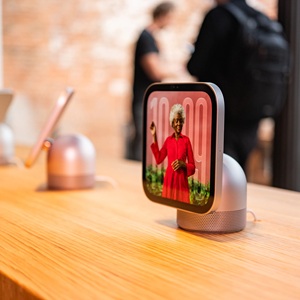
The tabletop version has a tilting display attached to a domed speaker base. It comes in silver, starlight, rose pink and space gray. The wall version is available in silver and space gray, with a different form factor designed for permanent placement.
Both use the same 7-inch display concept and Apple home-control software, but their speaker designs and mounting requirements differ. The Verge confirmed the mount requirement and that the tabletop unit cannot simply be converted into the wall version.
The key purchasing choice is therefore made at checkout. Buyers expecting to move a tabletop unit onto the wall later should not assume that a separately purchased bracket will make it interchangeable.
The Hidden Mounting Expense
The biggest easily missed charge is the proprietary mount for HomeView (Wall Mounted). Its advertised $299 price does not include a usable mounting and power arrangement.
The three announced Schneider options serve different installations. USB-C is intended for a comparatively straightforward wall placement, AC Wired connects to building electrical power, and PoE carries electrical power over suitable Ethernet infrastructure.
Apple’s HomeView power adapter requirements specify that the tabletop model uses at least 30 watts at the required voltage and ships with its adapter. The wall-mounted USB-C configuration needs a separately purchased cable and adapter providing at least 20 watts at the specified voltage.
That means $358.95 is a wall hardware subtotal, not necessarily the complete working setup. A household without the required adapter must buy one as well.
The wall-mounted device costs approximately 20% more than the tabletop model once the cheapest mount is included. With the AC mount, the premium rises to roughly 27%, while the planned PoE configuration is approximately 43% higher before installation.
These percentages expose why comparing the two models using the same sticker price is misleading.
Installation and Electrical Work
Tabletop HomeView normally requires only device configuration, a nearby outlet and adequate Wi-Fi. Installation labor is optional.
The wall version may require mounting into suitable material, routing USB-C power, adding a hardwired electrical supply or extending Ethernet cabling. Those jobs differ substantially in scope.
Apple’s Home Collection program offers professional third-party installation through ADT at an additional charge, but it has not published a universal fixed labor price for every HomeView wall installation.
A related home security installation budget illustrates why multi-device projects cost more than a single display mounting job. Wiring, equipment locations, commissioning and optional monitoring can all change the project scope.
A homeowner can compare installation offers using three separate lines: physical mounting, power or network work, and device configuration. A quote covering only the bracket attachment should not be compared with one covering concealed electrical work and multiple accessories.
For broader professionally monitored packages, ADT home security pricing provides context. HomeView itself is not automatically an ADT-monitored alarm system simply because ADT may perform installation work.
AppleCare and Damage Repairs
Optional protection adds a measurable ownership expense. MacRumors reported HomeView repair pricing of $279 for damage without coverage versus a $39 service fee with AppleCare+.
AppleCare+ is listed at $2.49 per month or $24.99 per year. AppleCare One Individual starts at $19.99 monthly for qualifying multi-device coverage.
Apple’s HomeView service information describes covered accidental damage and repair options, including mail-in and in-person service.
Consider an illustrative owner keeping the device for three years. Three annual AppleCare+ payments total $74.97, assuming the annual price stays unchanged. Paying monthly over 36 months would total $89.64, making annual coverage $14.67 cheaper over that period.
If one eligible accident occurs during the three years, the annual-plan scenario would cost $113.97 in premiums and service fees. The stated uninsured repair charge is $279. The modeled difference is $165.03, before considering plan exclusions or any changes in repair rates.
This calculation is a sensitivity example, not a claim that damage is likely. Owners who make no claims spend more with protection than without it.
Accessories and Smart-Home Prices
The HomeView purchase does not include security cameras, a smart lock or a thermostat. Apple’s new Home Collection, developed with LG Electronics and Schneider Electric, offers compatible devices at separate prices.
The announced Apple Home Collection prices include the following U.S. starting amounts:
- Indoor camera: $199.95.
- Outdoor plug-in camera: $299.95.
- Wired video doorbell: $249.95.
- Floodlight camera: $399.95.
- Smart deadbolt: $349.95.
- LG or Schneider smart thermostat: $199.95.
- Temperature or room sensor: $39.95.
The accessories begin arriving in December 2026, with selected products expected in early 2027. They are not all available for immediate delivery alongside HomeView.
Optional thermostat installation accessories add another price angle. A compatible C-wire adapter starts at $24.95, while Schneider’s trim plate starts at $14.95.
An Apple HomeView buyer need not select Apple’s new accessory collection. Existing compatible Apple Home and Matter products may provide the same underlying lighting, access-control and temperature functions.
For doorbell buyers comparing hardware and recording plans, Ring Doorbell ownership costs cover a competing ecosystem with different product and service charges.
Buying compatible equipment that already performs the required function can be cheaper than replacing it purely to match Apple’s newly announced accessory line.
What a Full Setup Costs
A complete-home budget is more useful when every assumed device is identified. Three scenarios illustrate how the expenditure changes.
A simple existing-home installation uses one tabletop HomeView with previously owned compatible devices. Its incremental hardware expenditure is just $299, excluding tax and any new optional subscriptions.
A small starter arrangement with one HomeView, one indoor camera and one temperature sensor costs $538.90 using their announced starting prices. This scenario assumes self-installation and no separately purchased recording subscription.
A broader five-device package combines a tabletop HomeView at $299, an indoor camera at $199.95, a video doorbell at $249.95, a thermostat at $199.95, and a smart deadbolt at $349.95.
That totals $1,298.80 in hardware before installation or tax.
If the household also buys annual AppleCare+ for $24.99 and pays $2.99 monthly for an eligible iCloud+ recording tier, the modeled first-year total becomes $1,359.67. The calculation is $1,298.80 plus $24.99 plus twelve payments of $2.99.
This is an independently calculated scenario rather than an advertised Apple bundle. It does not include labor, power modifications, other accessories or the price of any necessary phone or tablet.
If the buyer instead chooses the hardwired wall model, the required mount adds $79.95, raising that illustrative total to $1,439.62 before electrical labor.
The biggest budget driver in this package is the accessory collection, not the display. HomeView represents approximately 23% of its initial hardware cost.
Subscriptions and Camera Recording
Basic HomeView operation does not have a separately advertised mandatory Siri AI subscription. Recording footage from compatible cameras and using paid entertainment services can create recurring charges.
Apple’s published iCloud+ prices list a 50GB plan at $0.99 monthly, 200GB at $2.99 monthly, and 2TB at $9.99 monthly. Their HomeKit Secure Video allowances cover one, five and unlimited compatible cameras respectively.
The corresponding 12-month payments are $11.88, $35.88 and $119.88. Recording support and storage allowances are subject to Apple’s compatible camera and hub requirements.
A household adding its sixth supported recording camera may need to move from 200GB to 2TB. At current U.S. prices, that is another $7 monthly, or $84 annually, assuming both rates remain unchanged.
That threshold can matter more over several years than the initial cost difference between camera models. For further tier comparisons and shared-family billing, see iCloud plan costs.
Owners already paying for a sufficient iCloud+ plan should not count that full subscription as a new incremental HomeView expense. Conversely, buyers without a suitable plan should include it when they specifically want cloud video recording.
Cheaper HomeView Alternatives
HomeView is not the least expensive way to control compatible smart-home equipment. The right comparison depends on whether the buyer wants a touchscreen, hands-free voice control, a television interface or a general-purpose tablet.
Google’s Nest Hub second-generation listing shows a $99.99 price for a 7-inch smart display. It supports Google Home and Matter, but does not reproduce Apple’s FaceTime and personal Apple ecosystem features.
The Nest Hub costs approximately $199 less than HomeView at their listed prices, making HomeView almost three times as expensive in initial hardware terms.
Apple’s HomePod mini 2 announcement confirms a $149 U.S. price. Its Siri AI upgrade is expected through a future software update. It is a lower-cost Apple voice-control option, not a touchscreen replacement.
The new Apple TV 4K costs $299 and supports home automation and connected-camera displays through a television. Its price matches HomeView, but the required television and different interface make it a distinct use case.
Amazon’s Echo Show family also provides smart displays at several sizes and prices. The Amazon Echo cost comparison examines those devices alongside Alexa+ service charges and optional display accessories.
For someone considering a portable tablet instead of a fixed dashboard, Alexa Tablet pricing provides another comparison. A general-purpose tablet offers different flexibility, apps and mobility but may not supply HomeView’s dedicated shared-household experience.
Setup Requirements and Availability
 HomeView needs a compatible Apple device for initial configuration. Apple’s setup instructions specify an iPhone running iOS 27.2 or later, or an iPad running iPadOS 27 or later. Advanced personal-context features require compatible Apple Intelligence hardware.
These requirements affect value. A household that already owns suitable Apple equipment faces no additional purchase merely to meet them. Someone without it should not assume the $299 display is a complete standalone entry into Apple’s ecosystem.
The device’s facial recognition can personalize information for up to six people. It also supports FaceTime, household controls, music, reminders and compatible cameras, although features differ by account, region and paired-device capabilities.
HomeView preorders opened October 13, with availability beginning November 13, 2026 in launch markets including the United States. It is not currently available for sale in the European Union because Siri AI is unavailable there under Apple’s announced launch conditions.
The lack of an announced EU retail price or launch date should not be interpreted as an available product priced at zero.
Is HomeView the Better Buy?
HomeView’s strongest financial case is for an established Apple household seeking a dedicated communal screen. Buyers should consider not only its sticker price but also the incremental devices and subscriptions their chosen functions actually require.
Makes sense if
- You already have compatible Apple devices and Apple Home accessories.
- You want a shared FaceTime, household-information and home-control touchscreen.
- You prefer the included tabletop power setup rather than additional installation work.
- Your current iCloud+ plan already covers the number of cameras you intend to record.
Does not make sense if
- You only need voice commands that a less expensive smart speaker can provide.
- You expect professional security monitoring to be included with the display.
- You would have to replace functioning accessories without gaining a needed feature.
- You require the product immediately in a country where sales have not begun.
A household deciding between a complete alarm package and a smart-home dashboard should compare both service scope and ongoing fees. HomeView is principally a control device, not a substitute for every function of a professionally monitored security system.
Answers to Common Questions
How much does Apple HomeView cost in 2026?
Both models start at $299 in the United States. A wall-mounted model requires additional mounting hardware, bringing its minimum equipment subtotal to at least $358.95 before other possible charges.
What is the cheapest HomeView setup?
The tabletop version costs $299 before tax and needs no separately purchased wall mount. It is the lowest-cost configuration for buyers with compatible setup equipment.
Does HomeView need a paid subscription?
No separate mandatory Siri AI subscription has been announced for basic operation. Optional iCloud+ camera recording starts at $0.99 per month, and entertainment services may cost extra.
Is HomeView cheaper than Amazon Echo Show or Google Nest Hub?
Not necessarily. Google’s second-generation Nest Hub is listed at $99.99, substantially below HomeView’s $299 price. Echo Show prices depend on the model. Their features, software and ecosystems are not identical.
When can you buy Apple HomeView?
U.S. preorders opened October 13, 2026, with availability scheduled for November 13. Apple has not announced an EU launch date.
Disclosure: Educational content, not financial advice. Prices reflect public information as of the dates cited and can change. Confirm current rates, fees, taxes, and terms with official sources before purchasing. See our methodology and corrections policy.