
How Much Does Final Cut Pro Cost?
Updated on | Written by Alec Pow
This article was researched using 11 sources. See our methodology and corrections policy.
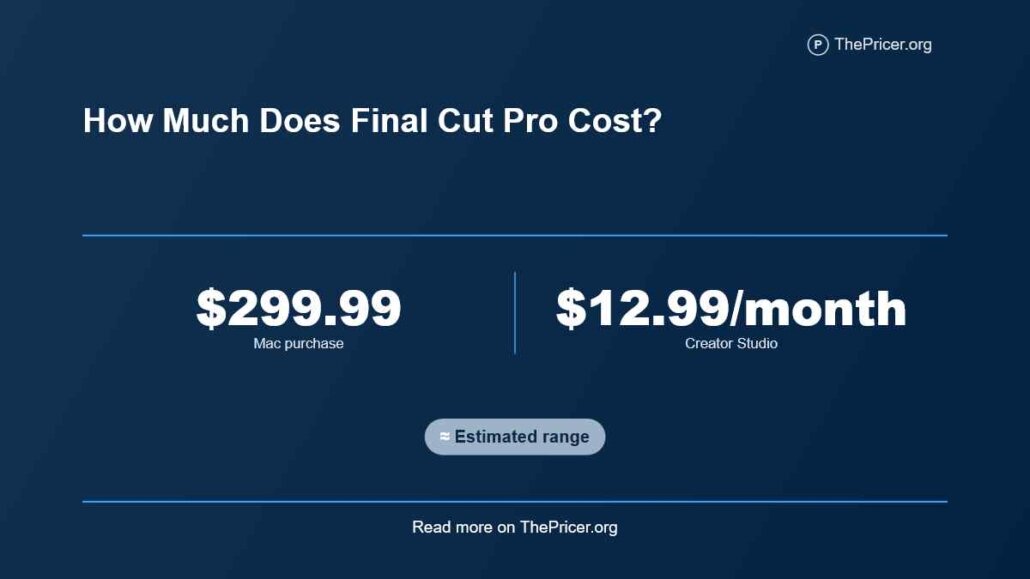
Final Cut Pro costs $299.99 as a one-time Mac purchase in the United States in 2026. Apple also offers it through Apple Creator Studio for $12.99 per month or $129 per year. Verified college students and educators can subscribe for $2.99 monthly or $29.99 annually. The subscription also includes several other Apple creative applications.
Apple introduced Creator Studio in January 2026, changing Final Cut Pro from a one-time-purchase-only product into software available through two different payment arrangements. The standalone Mac edition remains available, but some premium content is reserved for subscribers. The best purchase depends on editing frequency, ownership preferences, educational eligibility, and whether the buyer needs companion applications.
These are US prices before applicable taxes. Apple’s offers, trial eligibility, and available features can differ by region and device.
Article Highlights
Jump to sections
- Final Cut Pro for Mac costs $299.99 as a one-time purchase.
- Apple Creator Studio costs $12.99/month or $129/year.
- Verified education subscriptions cost $2.99/month or $29.99/year.
- The separate Pro Apps Bundle for Education is listed at $199.99.
- Monthly Creator Studio costs more than standalone Final Cut Pro after 23 paid months.
- The subscription includes Motion, Compressor, Logic Pro, and other Apple applications.
How Much Does Final Cut Pro Cost?
Apple’s current Final Cut Pro pricing confirms the two main purchase routes. The Mac edition remains available for a single $299.99 payment, while Apple Creator Studio includes Final Cut Pro within a renewable subscription.
The subscription launched January 28, 2026. Apple’s Creator Studio launch announcement established the pricing, included applications, educational rates, and Family Sharing provisions.
| Purchase Option | US Price | Access |
|---|---|---|
| Final Cut Pro, Mac purchase | $299.99 once | Standalone Mac application |
| Creator Studio monthly | $12.99/month | Final Cut Pro and included applications |
| Creator Studio annual | $129/year | Same suite, annual billing |
| Education monthly | $2.99/month | Eligible individual subscription |
| Education annual | $29.99/year | Eligible individual subscription |
| Education Pro Apps Bundle | $199.99 once | Five one-time-purchase Mac applications |
| Eligible Creator Studio trial | $0 for one month | Subscription access during trial |
The monthly and annual Creator Studio plans include more than Final Cut Pro. A subscriber who also needs music production, graphics, or motion-design software may receive additional value that the standalone Final Cut Pro purchase does not provide.
Existing owners should not assume that Apple has converted their paid Mac application into a mandatory subscription. Apple’s June 2026 product update reconfirmed the availability of one-time-purchase Mac versions.
What Creator Studio Includes
Apple Creator Studio brings together Final Cut Pro, Logic Pro, Pixelmator Pro, Motion, Compressor, and MainStage. It also provides premium content and selected intelligent features for Apple’s productivity applications.
Final Cut Pro handles editing, multicamera workflows, audio, titles, and color work. Motion supplies additional motion-graphics and animation tools, while Compressor offers detailed export and encoding controls.
Logic Pro provides music and audio-production capabilities. Pixelmator Pro is suited to image editing and graphics creation. These applications serve related but distinct production needs.
Apple’s Creator Studio support documentation explains that the subscription applications can run on supported Mac and iPad hardware. Not every included application runs on every device.
The subscription should not be described as the same Final Cut Pro license split into installments. It provides access to a collection of applications for as long as the subscription remains active, whereas the standalone Mac purchase provides continuing access to the purchased application under its license terms.
Apple also states that some premium content is limited to Creator Studio subscribers. An editor who depends on those subscription-specific resources should verify the feature difference before choosing the standalone edition.
When Does Buying Save Money?
The $299.99 purchase price can be compared with Creator Studio’s $12.99 monthly charge when a buyer primarily wants Final Cut Pro on a Mac.
After 23 paid months, the subscription costs $298.77, slightly below the standalone purchase. After 24 paid months, the total reaches $311.76. The one-time purchase becomes cheaper by $11.77 at that point.
Annual billing produces a different threshold. Two years of Creator Studio cost $258, while three annual payments total $387. The standalone purchase becomes cheaper once the third annual subscription is purchased, by $87.01.
These thresholds apply to the stated prices without future increases, educational discounts, or trials. They also assume the buyer does not place extra value on the subscription’s other applications or premium content.
For continuous use over five years, the standalone license would involve the initial $299.99 purchase. Five yearly Creator Studio payments would total $645, a difference of $345.01. Continued compatibility with future Mac hardware and software remains relevant to the practical value of either choice.
An editor working only on occasional projects faces another possibility. Three paid monthly periods spread across one year cost $38.97, provided the subscription can be canceled between periods and restarted when needed. That can be much cheaper than purchasing the standalone application for infrequent work.
The distinction is sustained access versus occasional use. The correct comparison depends on actual editing commitments, not merely the advertised monthly price.
Education Discounts and Eligibility
Apple’s education subscription conditions offer verified college students and educators Creator Studio for $2.99 monthly or $29.99 annually. The educational plan is individual and does not support Family Sharing.
Apple’s September 2026 education price list also includes the Pro Apps Bundle for Education at $199.99.
That separate bundle contains the one-time-purchase Mac versions of Final Cut Pro, Motion, Compressor, Logic Pro, and MainStage. Pixelmator Pro is not among its five included applications.
The education bundle redemption instructions explain that eligible customers receive individual app redemption codes, which must be redeemed to associate the applications with their Apple Account.
A verified educator paying $29.99 annually would spend $179.94 over six years at an unchanged subscription rate, below the $199.99 education bundle. Seven annual payments would total $209.93, making the bundle $9.94 cheaper.
That seven-year crossover is conditional. The education subscription’s eligibility, pricing, and available content may change, while the one-time bundle has different access terms.
The bundle can be more attractive to eligible buyers who want continued Mac app access without recurring payments. The education subscription may make more sense for those who also want Pixelmator Pro, supported iPad apps, or subscriber features.
Trials, Renewals, and Cancellation
Apple Creator Studio offers a one-month trial for eligible new subscribers. Apple’s Mac subscription management instructions explain how to choose a plan, change billing, and cancel through the App Store.
Canceling a paid subscription normally preserves access until the end of its current billing period. Subscription access then ends unless the customer renews.
A separate promotion may provide three months of Creator Studio with a qualifying new Mac or iPad purchase. Apple’s June 2026 terms restrict this offer according to account eligibility and previous redemptions.
The original article described a 90-day Final Cut Pro trial. Apple offered that trial for the standalone application in earlier releases, as documented in its November 2024 Final Cut announcement. It should not replace the currently advertised one-month Creator Studio trial in a 2026 pricing comparison.
Trial offers are not interchangeable. The customer should check the actual offer shown for their Apple Account before assuming a particular trial duration or renewal date.
For users moving between versions, Apple permits subscription and purchased Final Cut Pro applications to coexist on the same Mac. The applications have distinct icons, and supported projects can be opened in either edition.
Editing on a Mac
Final Cut Pro’s published purchase price does not include a Mac computer, external storage, optional plugins, or separately purchased media assets.
Apple’s June 2026 hardware compatibility notes require macOS 15.6 or later for Final Cut Pro and identify features that require Apple silicon. Buyers should verify their actual computer and intended features before paying.
Large video libraries can occupy substantial storage space, especially with high-resolution source footage, optimized media, render files, and project archives. A fast external SSD may therefore be useful, though not every creator needs to buy one.
Third-party effects, stock music, fonts, and templates may also carry separate fees or licenses. Those are optional purchases rather than mandatory Final Cut Pro charges.
The related Canva Pro pricing provides context for creators preparing social graphics and thumbnails alongside their edited videos. That service is not included merely because someone buys Final Cut Pro.
Production expenses can be much higher than the software charge itself. An editor producing paid advertising should distinguish software spending from talent, filming, sound, and distribution costs covered under commercial production costs.
Worked Creator Budget
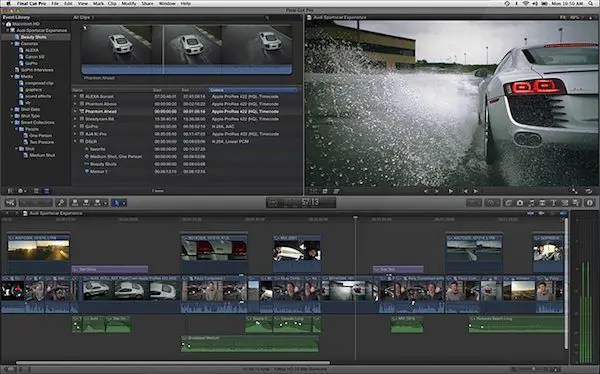
Consider an illustrative Mac-based video creator who expects to edit throughout the coming three years. The creator already owns a compatible Mac and wants an additional external SSD costing an assumed $150. No paid plugins are necessary.
The three-year costs are calculated as follows.
- Standalone Final Cut Pro purchase: $299.99.
- External SSD allowance: $150.
- Three-year standalone budget: $449.99.
- Three annual Creator Studio payments: $387.
- Same SSD allowance: $150.
- Three-year subscription budget: $537.
The subscription route costs $87.01 more over those three years. This model excludes taxes, future price changes, added hardware, and any additional benefits from Creator Studio’s companion apps.
Now suppose the creator also needs Motion and Compressor independently. Apple prices those one-time Mac applications at $49.99 each. Purchasing Final Cut Pro, Motion, and Compressor separately totals $399.97 before storage.
Two annual Creator Studio payments cost $258, saving $141.97 compared with buying those three applications upfront during a two-year project. After four annual subscription payments, however, the cost reaches $516, exceeding those standalone purchases by $116.03.
This second comparison changes the decision. The software suite’s value depends on which paid applications a creator actually needs, not merely Final Cut Pro’s standalone cost.
Final Cut Pro vs Other Editors
Adobe’s current US Premiere plan advertises $22.99 monthly on an annual commitment billed monthly. Twelve payments total $275.88. It is a different licensing model from Final Cut Pro’s one-time purchase, with its own subscription terms.
The Adobe Premiere cost comparison provides context for individual and Creative Cloud plans, although older promotional pricing should be checked against Adobe’s current checkout.
Blackmagic Design’s DaVinci Resolve product listing offers a free edition and DaVinci Resolve Studio 21 for $295. Its software runs on Mac, Windows, and Linux, which matters to editors who work across operating systems.
The free DaVinci Resolve edition is an economically meaningful alternative for creators who do not need Final Cut Pro-specific workflows. It is not an identical replacement for every workflow, plugin, project format, or professional collaboration setup.
Apple’s free iMovie is another starting point for editors whose needs are limited to basic cutting and publishing. It can avoid paid software entirely, although it lacks many of Final Cut Pro’s advanced tools.
The choice also depends on project exchange with clients and colleagues. Final Cut Pro’s library and timeline workflows differ from Premiere and Resolve, and software compatibility matters when a production team expects editable native projects.
Makes sense if
- You edit on a supported Mac and prefer Apple’s workflow.
- You will use Final Cut Pro regularly for several years.
- You need Motion, Compressor, or other Creator Studio applications.
- You qualify for education pricing or can use eligible Family Sharing.
Does not make sense if
- You need a Windows or Linux editing workstation.
- Your editing needs are already met by free software.
- You only edit occasionally and would pay for unused subscription months.
- Your collaborators require native projects in another editing application.
Answers to Common Questions
Is Final Cut Pro still a one-time purchase?
Yes. Final Cut Pro for Mac remains available for $299.99, while Apple Creator Studio offers subscription access.
How much is Final Cut Pro per month?
Apple Creator Studio costs $12.99 monthly or $129 annually in the United States and includes Final Cut Pro.
Can students buy Final Cut Pro cheaper?
Verified college students and educators can subscribe for $2.99 monthly or $29.99 annually. An eligible $199.99 Pro Apps Bundle for Education is also available.
Does Final Cut Pro work on Windows?
No. Final Cut Pro is designed for Apple’s supported Mac and iPad devices. Editors needing Windows support should examine another product.
Is Final Cut Pro better to buy or subscribe to?
A standalone purchase can cost less for continuous Mac editing over several years. Creator Studio may be more economical for short-term use or when its additional applications and premium content are valuable.
Disclosure: Educational content, not financial advice. Prices reflect public information as of the dates cited and can change. Confirm current rates, fees, taxes, and terms with official sources before purchasing. See our methodology and corrections policy.